Excise
Load your state's own sales-tax rate file into WooCommerce by ZIP - checked, compared and written in one go. No per-order fee.
For small US shops that collect sales tax in one or a few states and do not want a monthly tax service or a WordPress.com connection.
ZIP codes are mail routes, not tax districts, so a ZIP-based rate is the shop's best estimate at the line between two places. Not tax advice.
Inside Excise
Your state's own file
Most states publish their rates by ZIP or by jurisdiction as a free download. Load the CSV (or paste it); Excise finds the ZIP, state and rate columns by their names, whether the rate is one combined column or state, county, city and special parts, and whether it is written as 7.25 or 0.0725.
Checked : ZIP codes that lost their leading zero in a spreadsheet are put back; rows for states you do not collect in are left out; a rate that is not a sales-tax rate (over 15%) is named by line; a ZIP given two rates - one that crosses a city or county line - uses the higher one, and says so.
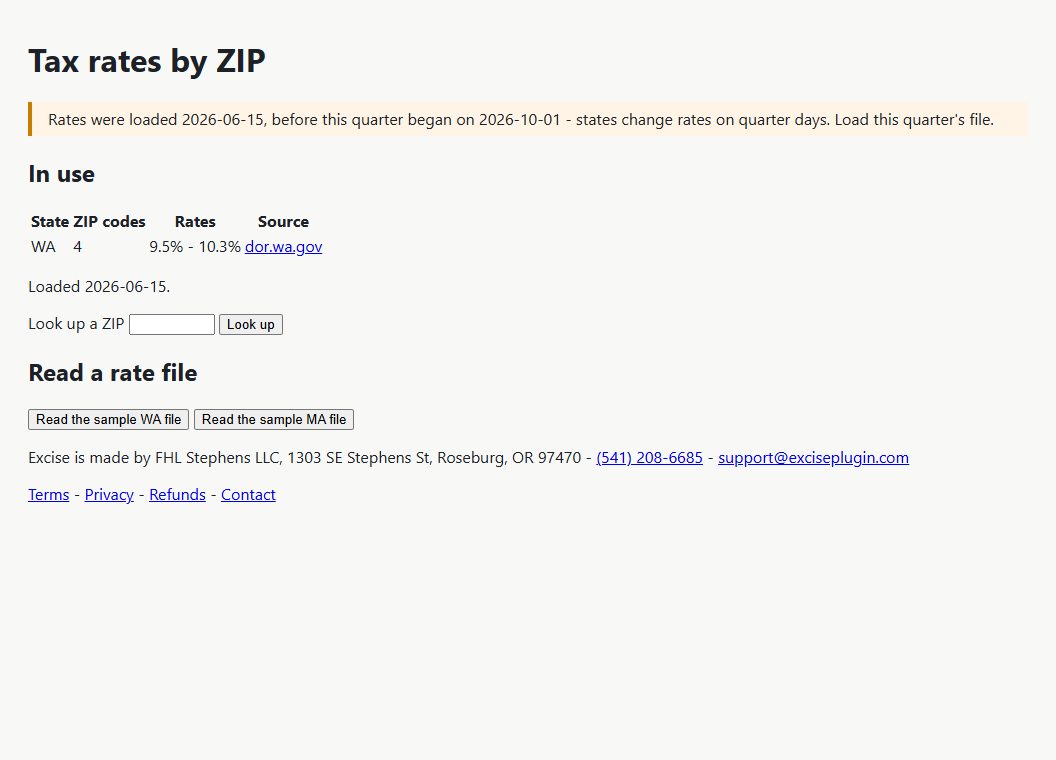
What changes : before anything is written you see which ZIPs changed rate, which are new and which dropped out.
Written into WooCommerce : one tax row per state and rate, carrying its ZIP codes. Checkout is WooCommerce's own - nothing is called and nothing is charged per order. Excise replaces only the rows it wrote.
Quarter days : states commonly change rates on 1 January, 1 April, 1 July and 1 October. A table loaded before the current quarter began, or more than 35 days ago, puts a reminder at the top of your admin screens.
Shipping is taxed or not per state - your setting, since states differ.
Look up any ZIP to see the rate in use.
Before you start
More for money & tax
Cartage
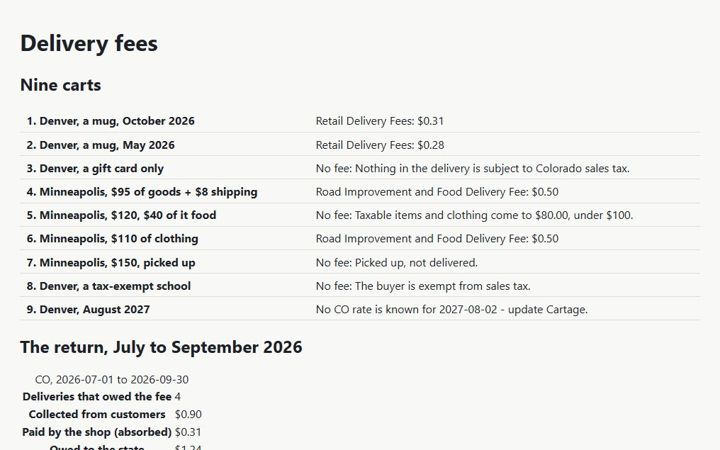
The Colorado and Minnesota retail delivery fees on WooCommerce orders - the right amount, the right name, the right orders - and the totals for the return.
Collector
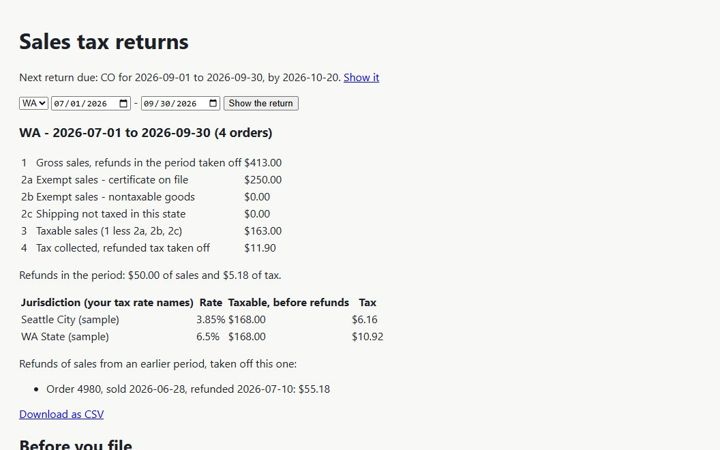
The lines your state sales-tax return asks for, from your WooCommerce orders - for every state you file in.
Countersign
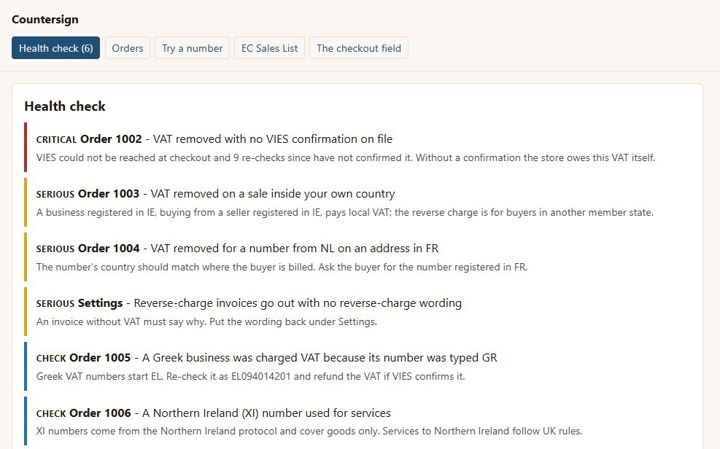
EU VAT numbers checked with VIES, the reverse charge applied only when it should be, the proof kept on the order - and no order ever waits on VIES.