Daylight
A public records request portal inside your own site: tracking numbers, your state's response clock, extensions with reasons, denials with exemptions, and a public log that never names who asked.
For small cities, counties, school districts and special districts.
The state presets cite their statutes on the Settings screen; have your attorney confirm the one you use. Not legal advice.
Inside Daylight
The form
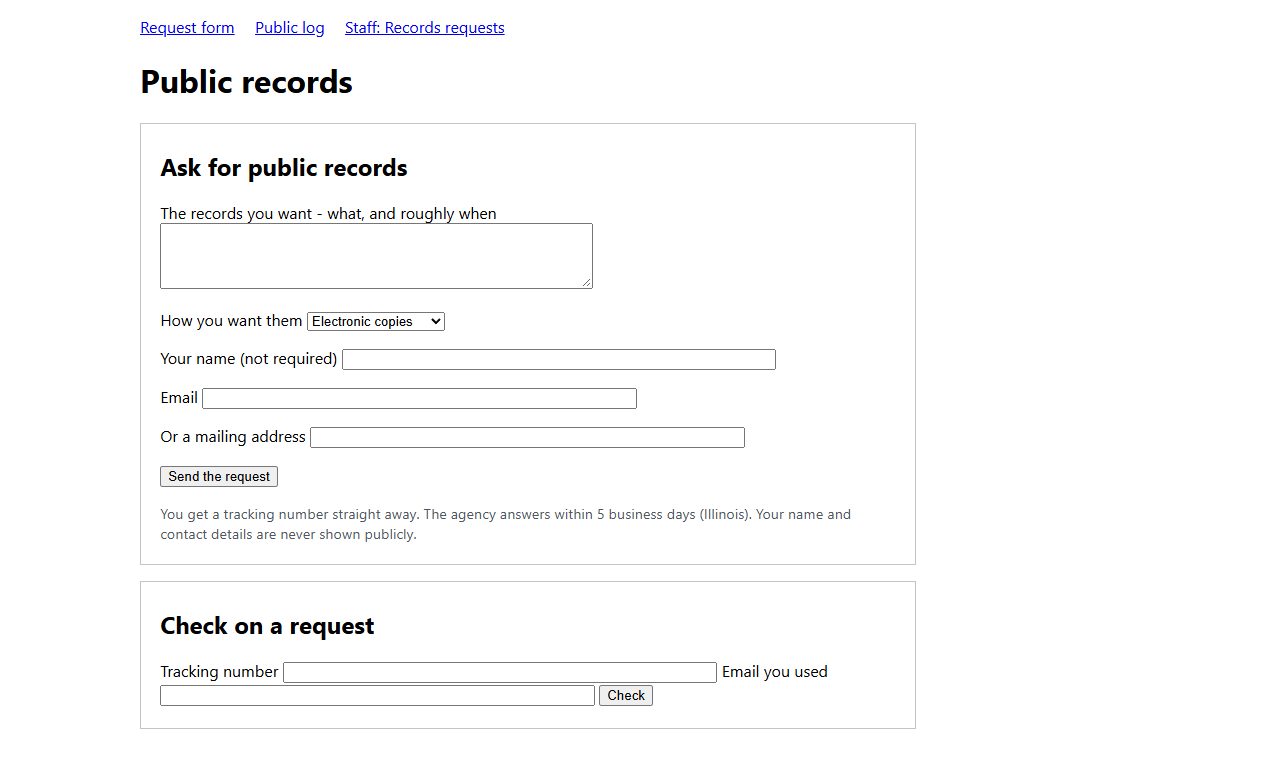
[daylight] - what records, in what form, and an email or mailing address. No name required. A tracking number and the answer-by date come back at once.
Check on it
with the tracking number and the email it was made with.
The clock
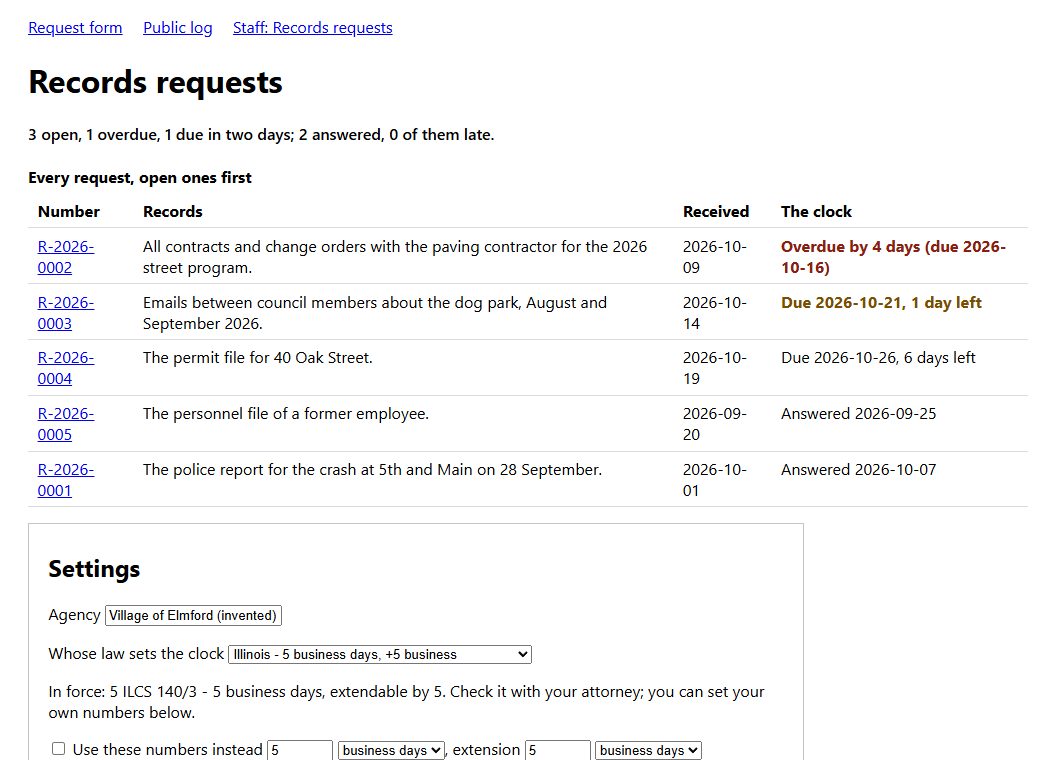
a preset for your state or your own numbers, in business days (skipping weekends and your holidays) or calendar days. Overdue and due-soon requests are named on the staff screen.
Extensions
once, with a reason the requester sees, no further than the law allows.
Closing
with the date answered; anything withheld only with the exemption cited; and a public summary that may not name the requester.
The public log
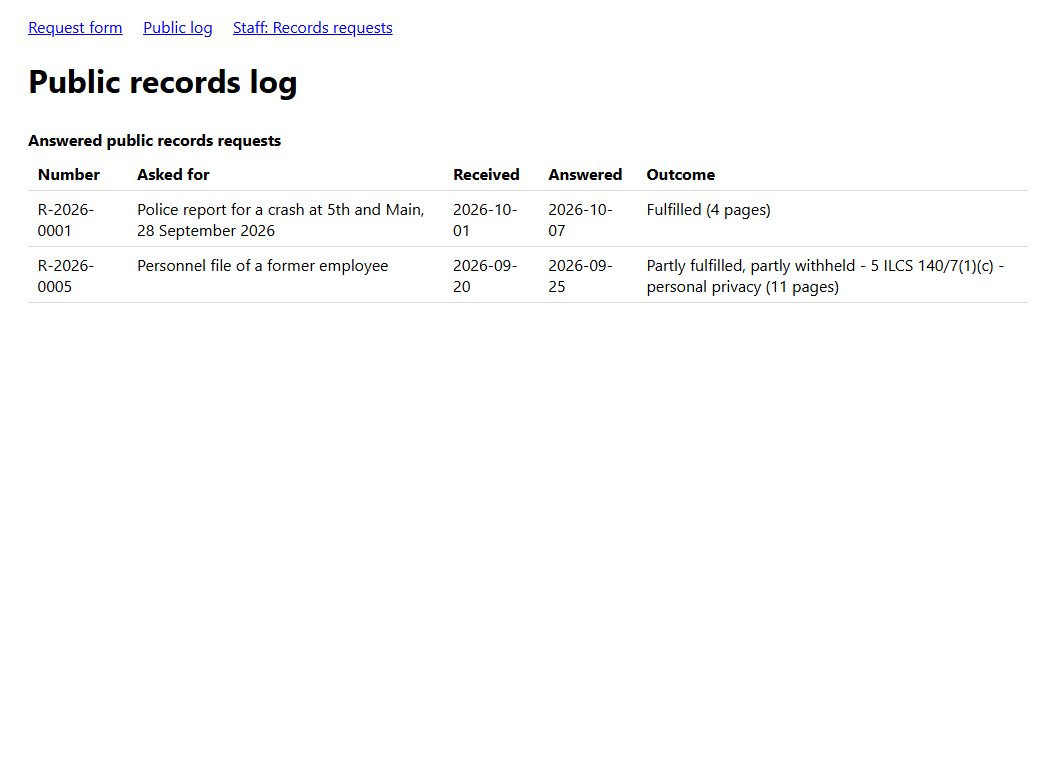
[daylight_log] - number, what was asked for, dates, outcome. No names, no emails.
Before you start
More for government & schools
Docketline
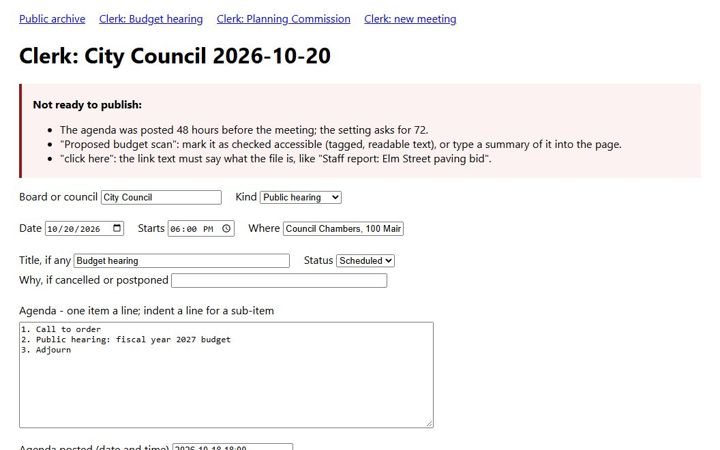
Meeting agendas, packets and minutes posted as accessible web pages, not only PDFs - and no meeting published until everything on it can be read by a screen reader.
Evenhand
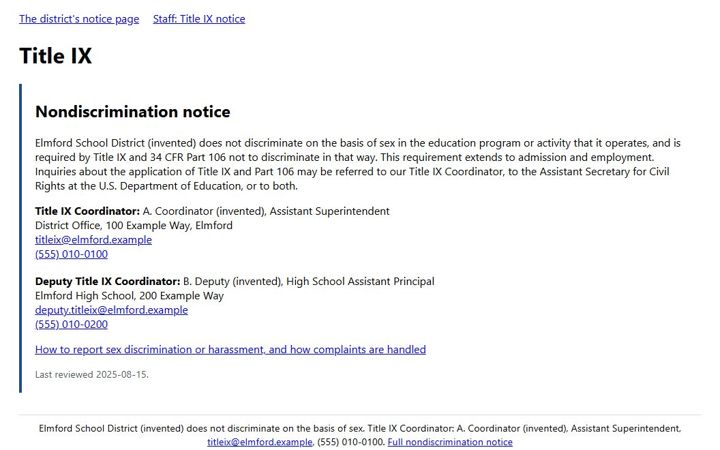
The Title IX notice your website must show - coordinator contact details and the nondiscrimination statement - checked against 34 CFR 106.8 before it is published, with history and reminders.
Legible
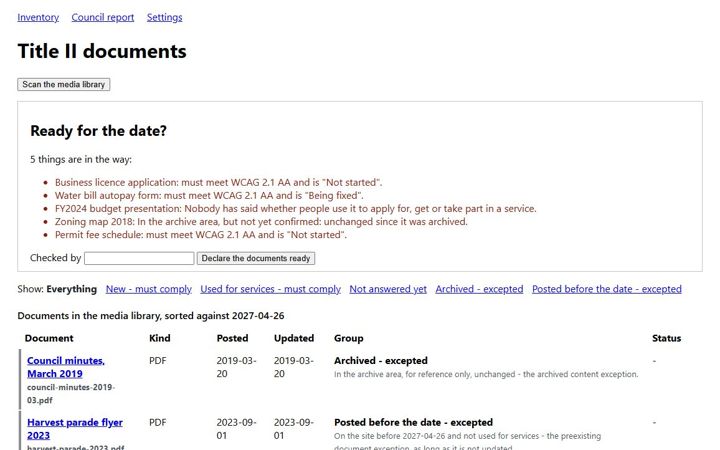
Every PDF, Word, PowerPoint and spreadsheet file in the media library sorted against your ADA Title II date, each one tracked through fixing, with a report for council.