Sideline
Team rosters, game schedules, scores and league standings for school athletic departments, booster clubs and youth clubs. Brings players over from MSTW Team Rosters.
MSTW Team Rosters and MSTW League Manager were closed on WordPress.org on 21 September 2026 at their author's request and can no longer be downloaded or updated. Sideline is a replacement that reads Team Rosters' players straight out of your database - Team Rosters does not need to be installed - and puts them on teams.
= The health check =
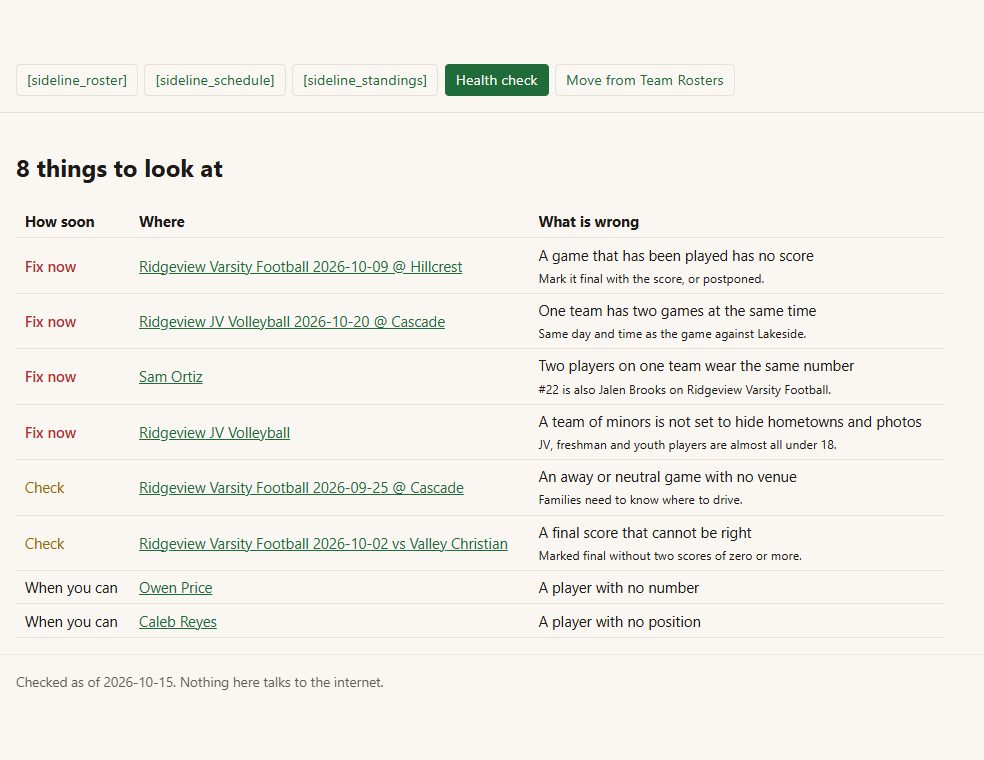
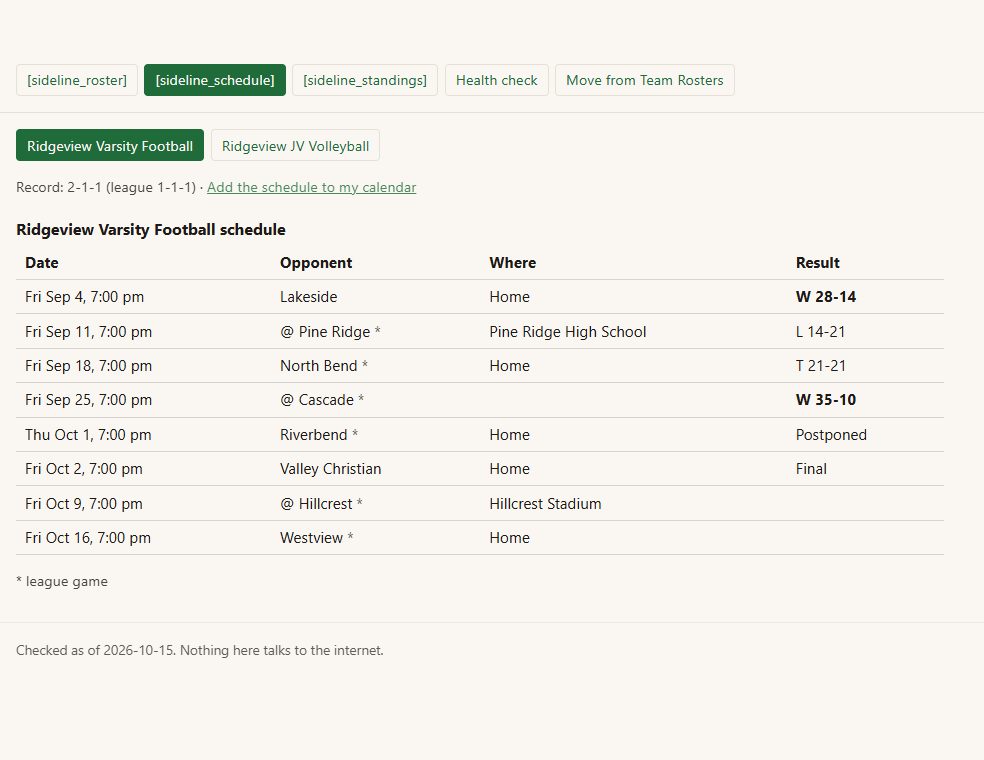
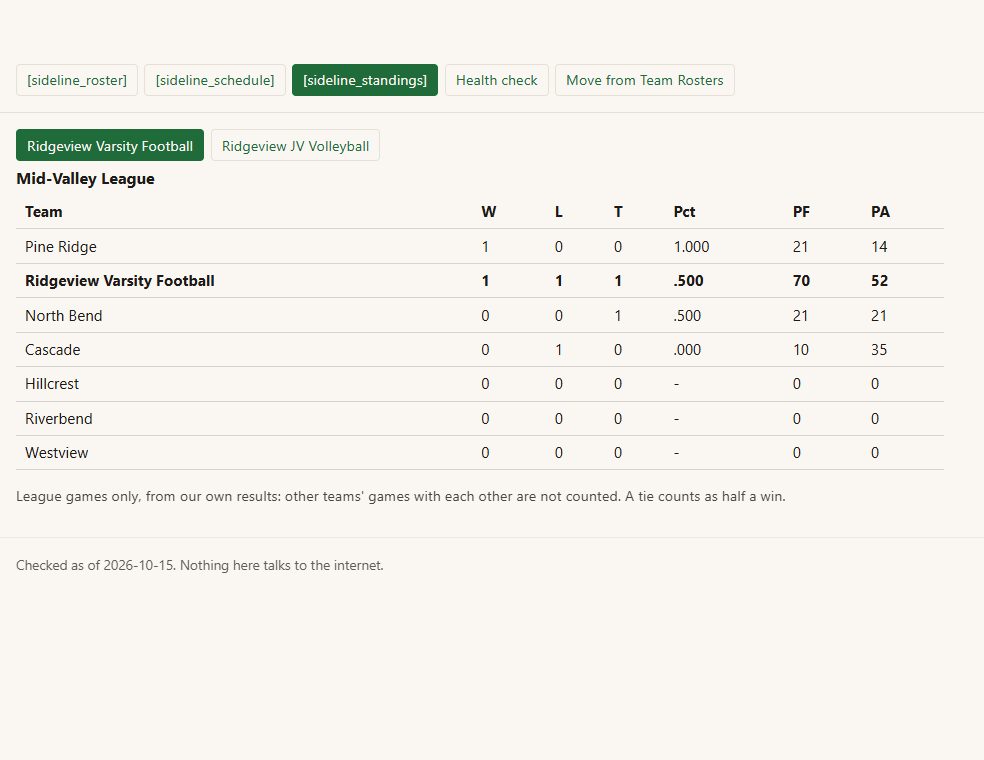
Inside Sideline
Rosters - number, name, position, class or grade, height and weight, sorted by number.
Rosters of minors stay private by default - for a team of players under 18, hometowns, previous schools and photos are not shown to the public at all. New teams start that way.
Schedules and results - home, away and neutral games, league games marked, postponed and canceled games shown as such, and the season record.
League standings - from your league games, with a tie counted as half a win.
A calendar families subscribe to - one link per team; a changed time or a final score reaches their phones by itself.
Before you start
Asked first
Does the move change or delete my Team Rosters data?
No. It only reads it, and running it twice never makes doubles.
What does not come across?
The move screen says so before anything happens: any Team Rosters field Sideline does not recognise is named, and fields it does not keep (bats and throws, age, country, experience) are listed against each player. Game schedules from League Manager are re-entered.
Why are hometowns hidden?
Most school and youth players are minors. Showing where a child lives and what they look like on a public page is a choice the school should make on purpose, not by default. Untick it on a team of adults.
More for trades & local
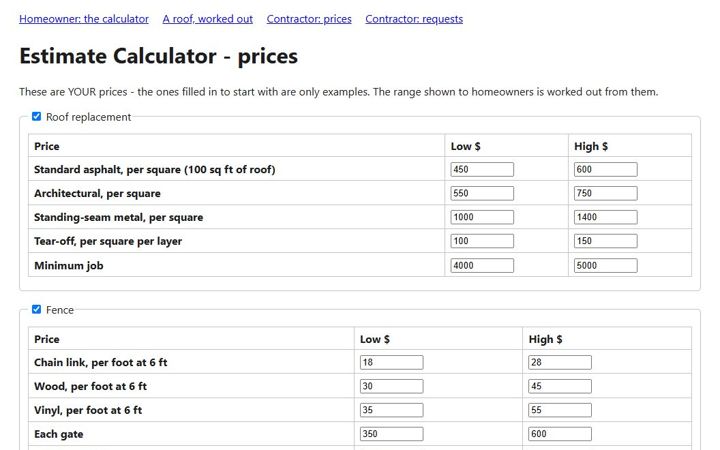
Ballpark
A homeowner enters the size and options and gets a price range from your own unit prices - then books an estimate visit on the same page.
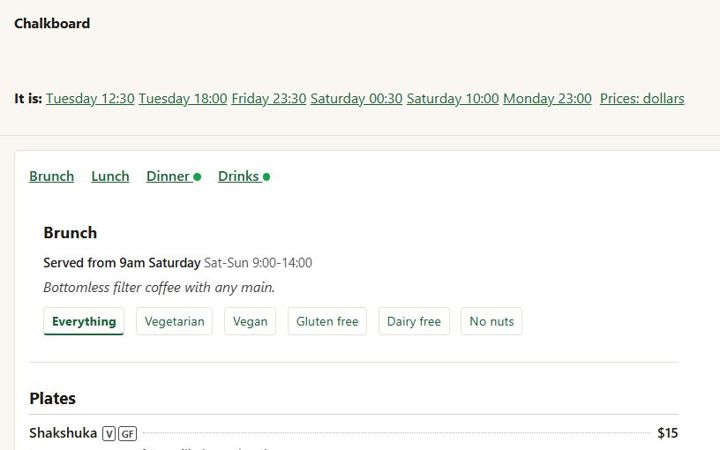
Chalkboard
Menus typed the way a kitchen writes them - a line a dish - with sizes, dietary marks, specials on their own days, "serving now", and a sold-out list that clears itself at midnight.
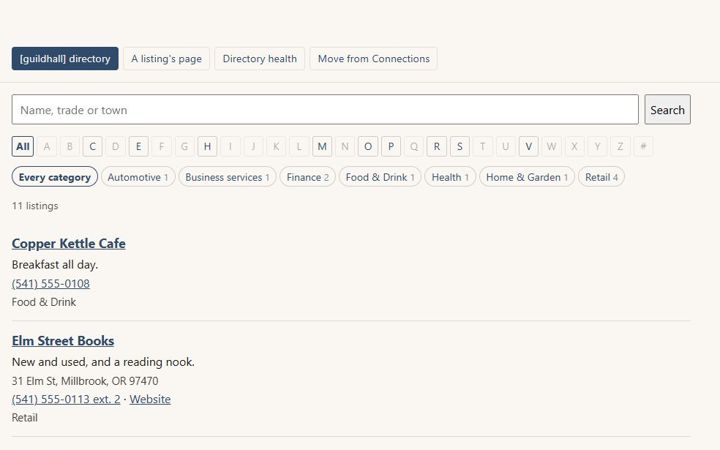
Guildhall
A member and business directory for chambers, associations and clubs. Brings your directory over from Connections Business Directory and keeps its old addresses working.